Every screen.
One dashboard.
Novacast is enterprise digital signage software you host yourself. Pair any TV or PC with a 6-digit code, route playlists to every monitor independently, and keep 4K content playing — even when the network doesn't.
- Samsung Tizen
- LG webOS
- Android TV
- Windows
- macOS
- Linux
- Raspberry Pi
Built for real deployments, not demo videos
Signage fails in boring ways: a screen goes black at 9 am, a video wall drifts out of sync, nobody knows which monitor is which. Novacast is engineered around those failures.
Multi-monitor, down to the pixel
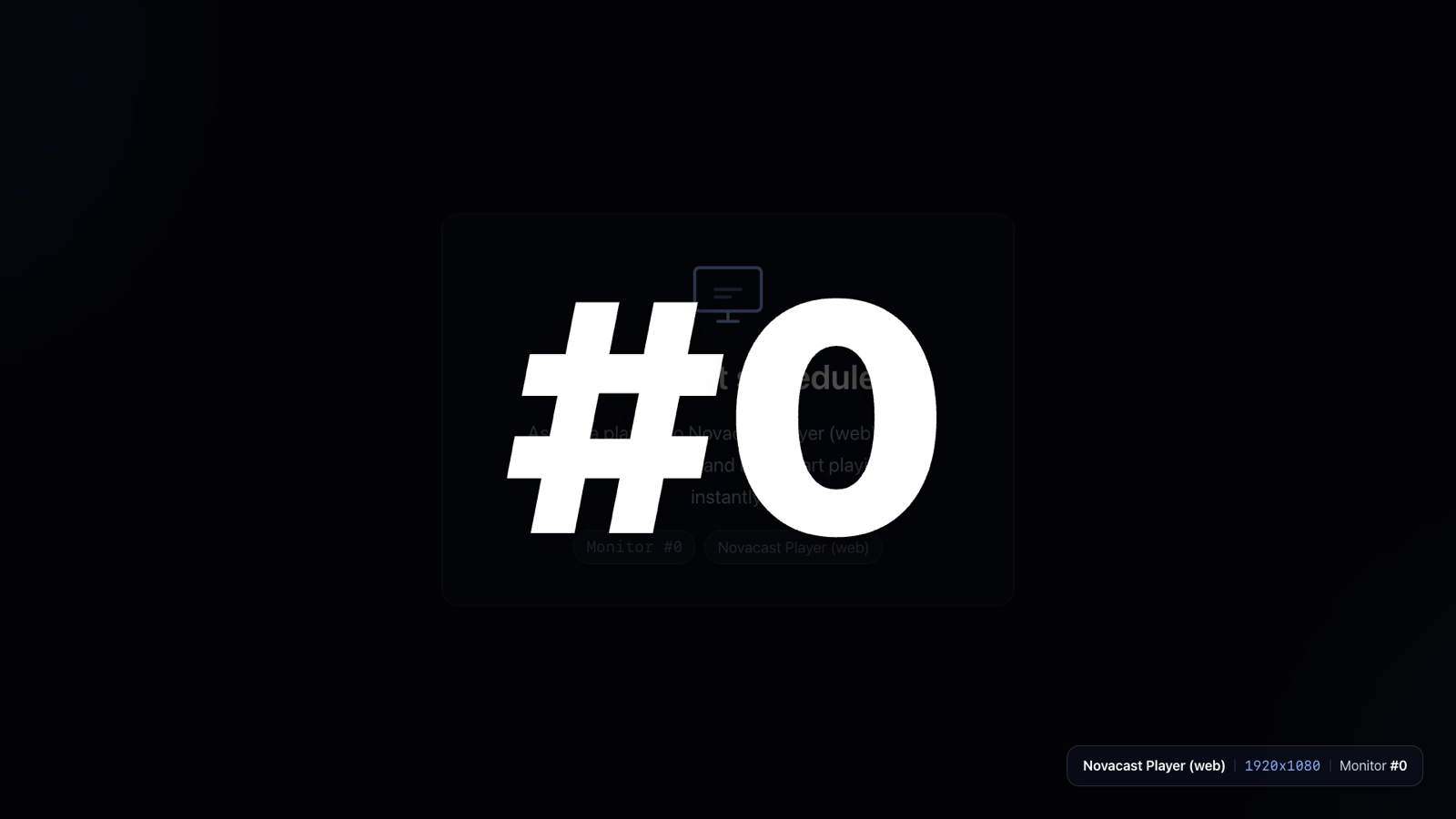
The desktop player enumerates every connected display and registers each one — Monitor #0, #1, #2 — with its exact resolution. Trigger “Identify” from the dashboard and every screen shows its number in huge type, so the person standing in the lobby knows exactly which is which.
Route an independent playlist to each monitor, or flip one switch for a synchronized video wall.
Offline-safe playback
Players cache assigned media locally. If the network drops, the loop keeps playing from cache — screens never go black in front of customers.
4K, hardware-decoded
HTML5 video with GPU decoding (H.264, HEVC, AV1) and HLS adaptive streaming. Smooth cross-fades between high-resolution images.
Realtime by design
Every device holds a live MQTT connection. Publish a playlist change and screens update in under a second — no polling, no refresh cycles.
Secure device identity
Each player generates a UUIDv7 identity stored in the OS keychain — Keychain on macOS, Credential Manager on Windows, EncryptedSharedPreferences on Android.
Add a screen in under a minute
No configuration files, no USB sticks, no on-site visits. The pairing code on the screen is all a technician ever needs.
- Launch the player
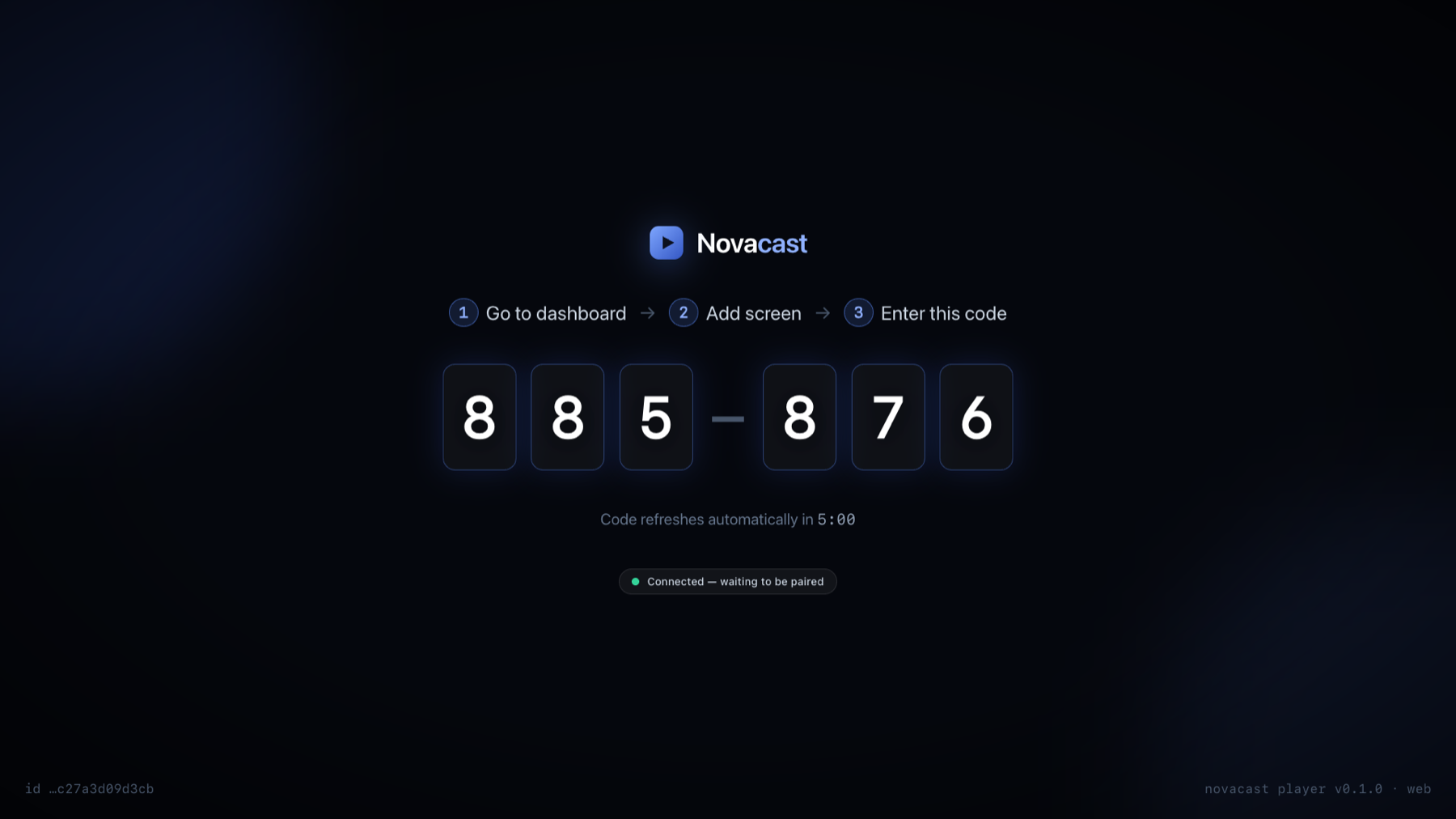
On the TV, PC or Pi. It requests a temporary 6-digit code and shows it full-screen.
- Enter the code in the dashboard
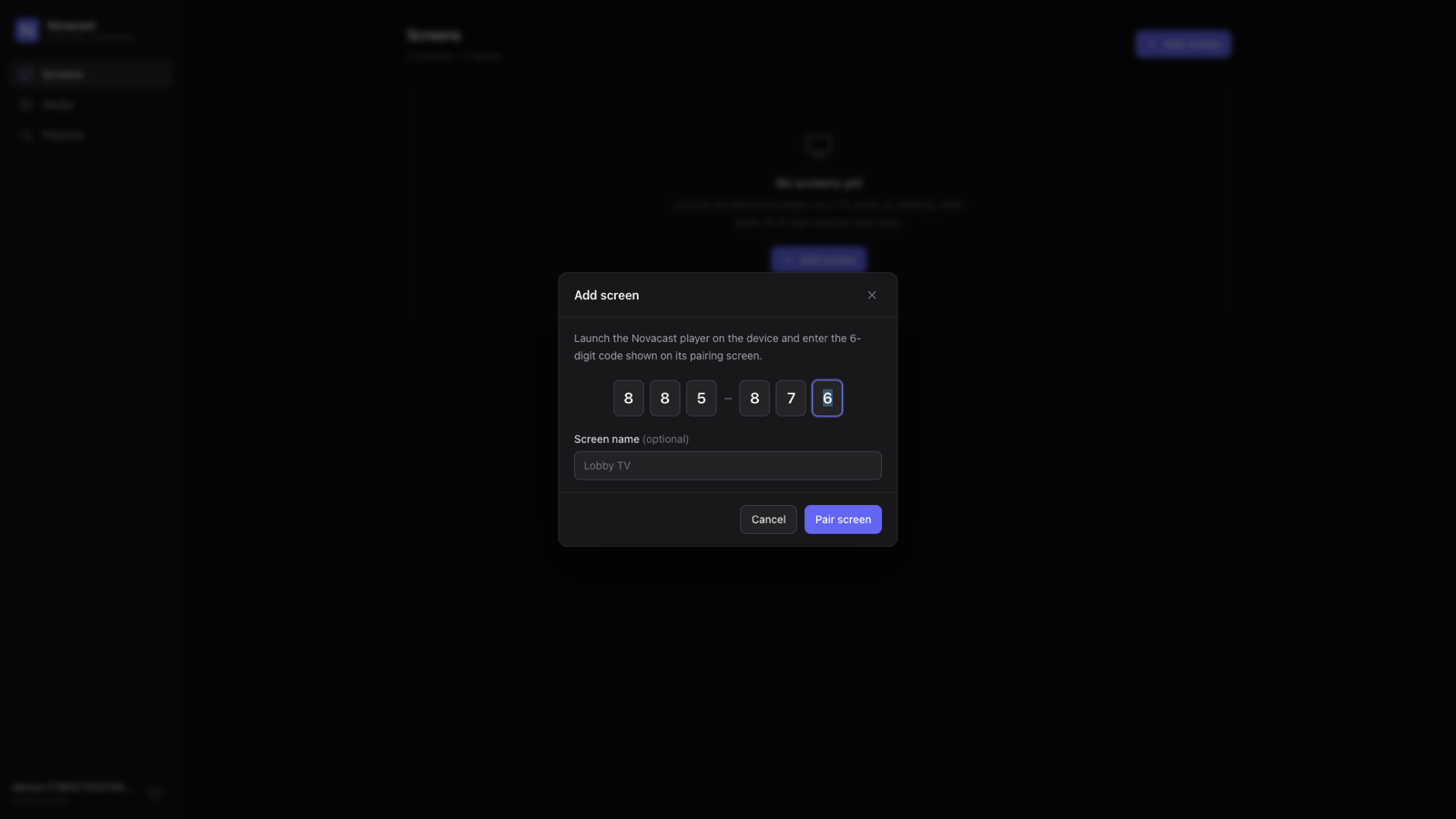
Click “Add screen”, type the six digits, give the screen a name.
- The screen goes live instantly
Pairing is pushed over MQTT — the player switches to its content without a reboot.
One dashboard for every location
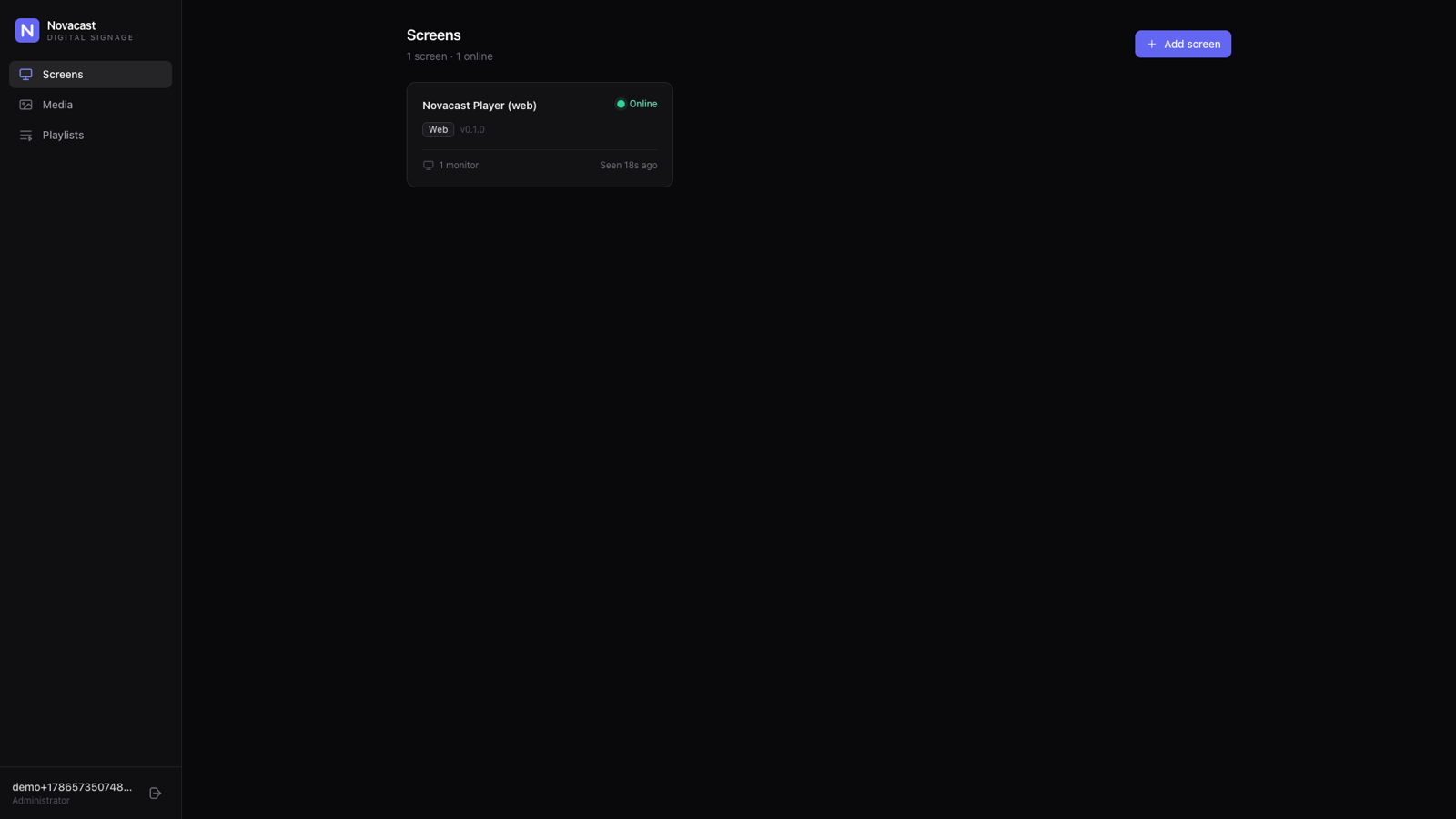
See every screen's live status, build playlists from your media library, and assign content per monitor — from any browser.
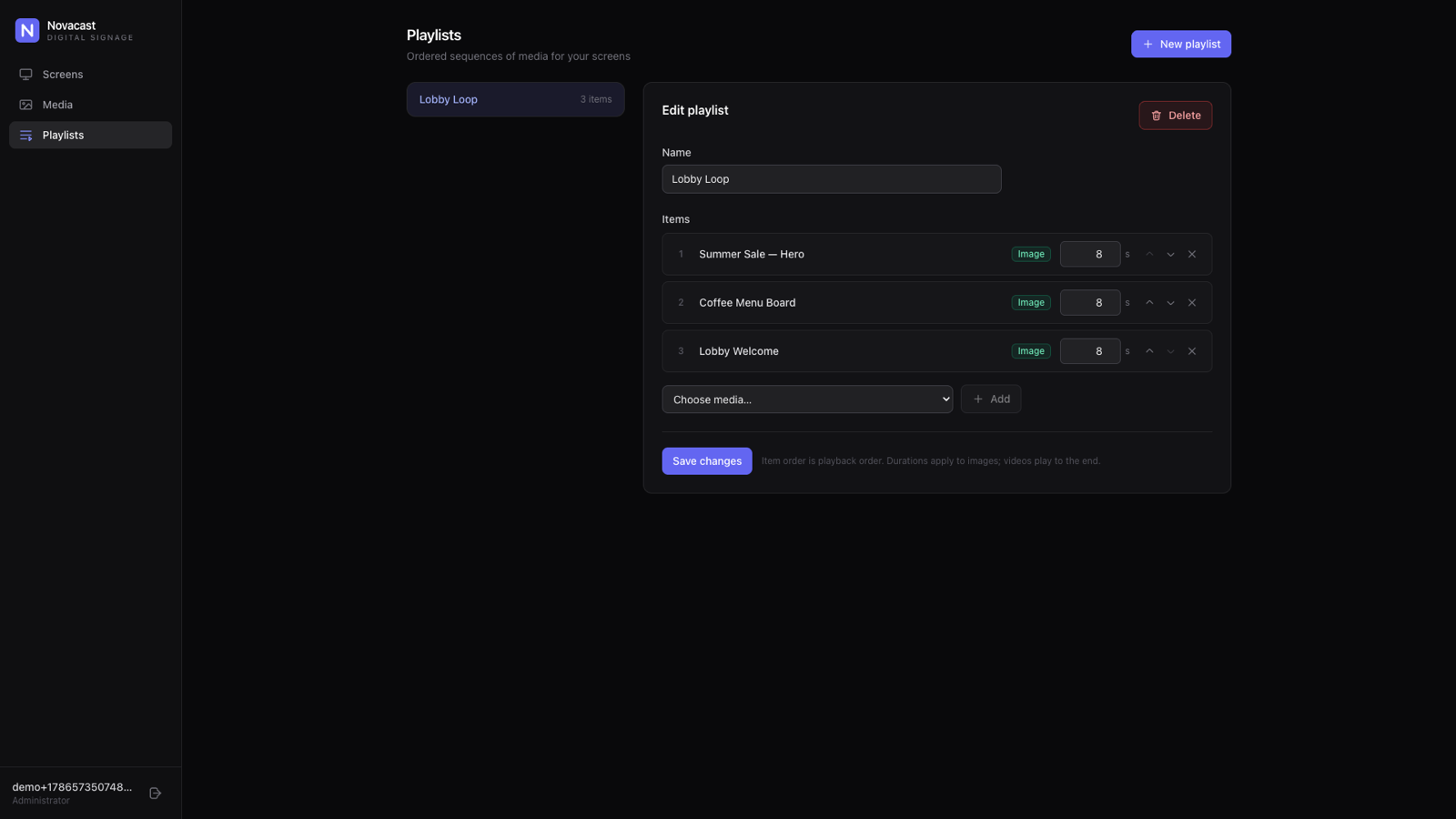
Playlists with per-item timing
Order images and videos, set display durations, reorder with one click. Changes publish to screens the moment you save.
Per-monitor routing
A lobby PC driving three displays can run menu, promo and welcome content side by side — each monitor gets its own playlist.
Video wall mode
Switch a device to unified mode and every monitor plays the same content in sync.
Media library with live URLs
Images, MP4 video and HLS streams — add by URL, organize once, reuse across every playlist and location.
Self-hosted, open architecture
A single Go binary with PostgreSQL, Redis and Mosquitto, deployed with Docker Compose. Your content never leaves your infrastructure.
Native on every platform that matters
One shared player core, packaged the way each platform expects. No browser tabs taped to TVs.
| Platform | Package | Highlights |
|---|---|---|
| Samsung Smart TV | .wgt (Tizen) | Runs directly on the TV — no external box |
| LG Smart TV | .ipk (webOS) | Runs directly on the TV — no external box |
| Android TV / Google TV | .apk kiosk | Boots with the device, survives power cuts |
| Windows · macOS · Linux | .exe · .dmg · .deb | Multi-monitor kiosk, OS-keychain security |
| Raspberry Pi | Linux build | Low-cost player for any HDMI screen |
| Any browser | Web player | Zero-install fallback for quick rollouts |
Frequently asked questions
Which screens and devices does Novacast support?
Samsung Smart TVs (Tizen), LG Smart TVs (webOS), Android TV / Google TV, Windows, macOS and Linux PCs, Raspberry Pi — plus any modern browser as a zero-install web player.
How do I add a new screen?
Install the player on the device; it shows a 6-digit code. Type that code into the dashboard and the screen switches to its assigned content instantly — no reboot, no configuration files.
What happens when the internet connection drops?
Players cache assigned images and videos locally and keep looping them during outages. Screens never go black; when the connection returns, realtime updates resume automatically.
Can I show different content on each monitor of one PC?
Yes. The desktop player registers every connected monitor separately. Route an independent playlist to each one, or switch the device to unified mode for a synchronized video wall.
Is Novacast self-hosted?
Yes. The backend is a single Go binary with PostgreSQL, Redis and an MQTT broker, deployable on your own infrastructure with Docker Compose. Your content and device data stay on your servers.
Does Novacast support 4K playback?
Yes. Players use hardware-accelerated HTML5 video (H.264, HEVC/H.265, AV1 where supported) and HLS adaptive streaming, so 4K content plays at full frame rate on capable hardware.
See your screens in Novacast
Tell us how many screens you run and where — we'll come back with a guided demo on your own content.
Request a demo or write to demo@novacast.app